Hidden when you share your screen
The card is excluded from screen capture, so the people you share your screen with in, say, Teams never see it. During full screen and presentations the reminder waits until you are done.
Windows · Beta
A small app that reminds you to straighten up and move while you work — without getting in the way.
A small card appears in the corner of your screen with a short exercise. It never steals focus from what you are typing, never dims the screen and goes away on its own.
Try the beta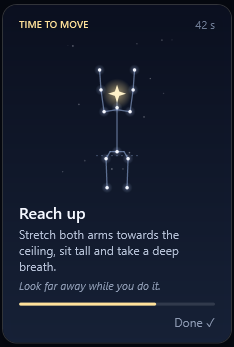
The card is excluded from screen capture, so the people you share your screen with in, say, Teams never see it. During full screen and presentations the reminder waits until you are done.
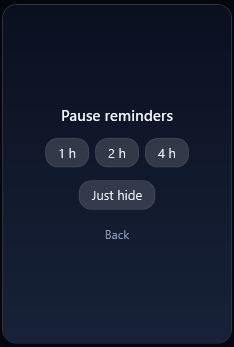
The card never takes focus, so you can keep typing. Click Done, pause for a while or let it disappear by itself.
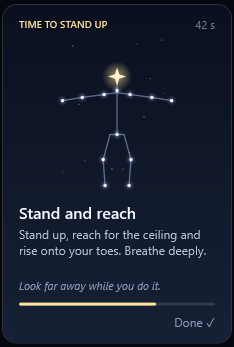
Mostly seated exercises for neck and shoulders, now and then a standing one. You look far away during the exercise, so your eyes get a rest too.
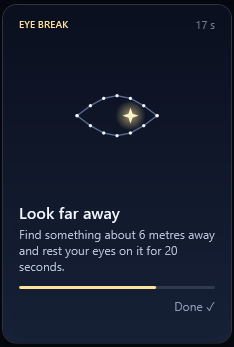
How often, times you don't want reminders, where the card appears and whether it makes a sound. Extra 20-20-20 eye breaks if you like.
The app needs no administrator rights and asks for no permissions, because it doesn't need any. It uses neither camera nor microphone and works entirely offline.
The beta is a single file you just run, with no installer. Anyone can run it, even without administrator rights.
Exercise cards, an eye break and the pause menu. The figure is a constellation that moves through the exercise.
The beta is not code-signed yet. A signature costs money and takes time to get, so we are waiting until the app is finished. Until then Windows doesn't recognise the publisher and shows a warning the first time you run the file.
The warning means the file is unknown to Windows, not that it is harmful. Only download the beta from here. On PCs with Smart App Control turned on, or where an IT department controls what may run, Windows may block the app entirely.
Unhunched is available as a beta for Windows. Get in touch and we'll send it to you — one file, nothing to install.
Try the beta